Stop Spam & Scam Texts On TM SIM 2026: Easy Methods to Protect Your Phone
Stop Spam & Scam Texts On TM SIM 2026. Spam and scam text messages on TM SIM have become a serious problem for many users in the Philippines. These unwanted messages not only disturb your daily routine but can also pose real security risks. Scammers often send fake offers, discounts, or urgent alerts to trick users into clicking harmful links. A single click can compromise personal information, banking details, or even social media accounts. With technology advancing, these scams are becoming more clever and frequent. It is important to take action and protect yourself.
In this article, we will guide you through simple and effective ways to block, report, and prevent spam and scam messages on your TM SIM, keeping your phone safe and secure.

What Are Spam and Scam Text Messages?
Before we move forward, it is important to understand what spam and scam messages are.
Spam Messages
Spam messages are unwanted texts sent in bulk. These usually include:
- Promotions
- Advertisements
- Unknown offers
- Random links
They are mostly harmless but very irritating.
Scam Messages
Scam messages are more dangerous. These are sent by fraudsters to:
- Steal your personal data
- Hack your accounts
- Take money from your bank or wallet
Scam messages often look real and urgent, which makes people trust them easily.
Read Also: TM SIM PUK Code: Complete Guide To Recover TM PUK Code Easily
Why You Must Stop Spam & Scam Texts on TM SIM
Ignoring spam messages is not a good idea. Here are some reasons why you should take action immediately:

1. Protect Your Personal Information
Scammers try to steal:
- Photos
- Contacts
- Emails
- Passwords
2. Avoid Financial Loss
Fake messages can trick you into:
- Entering bank details
- Sending money
- Sharing OTP codes
3. Reduce Annoyance
Spam messages interrupt your daily work and peace.
4. Improve Mobile Security
Blocking spam helps keep your device safe from malware and viruses.
How to Block Spam and Scam Text on TM SIM
There are several easy methods to stop spam messages on your TM SIM. Let’s go step by step.
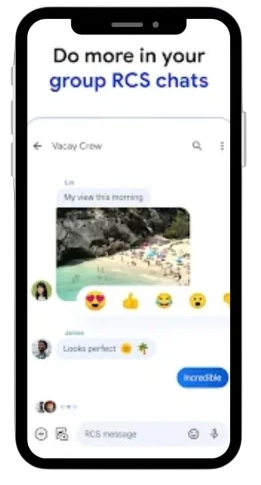
1. Use Spam Filters
Spam filters are the best way to automatically block unwanted messages.
Follow these steps:
- Open Play Store on your phone
- Search for Google Messages app
- Download and install it
- Open the app and allow permissions
- Set it as your default messaging app
- Go to Settings
- Turn ON Spam Protection
Benefits of Spam Filters:
- Automatically detect spam messages
- Block suspicious links
- Warn you before opening risky texts
Once enabled, you will be protected from most scam messages.
2. Activate TM SIM Spam Blocker
TM also provides a built-in spam blocking service.
Steps to activate:
- Open your dial pad
- Dial *123# using your TM SIM
- Select Services
- Choose Block Spam
- Follow on-screen instructions
Result:
Your TM SIM will block many scam messages automatically.

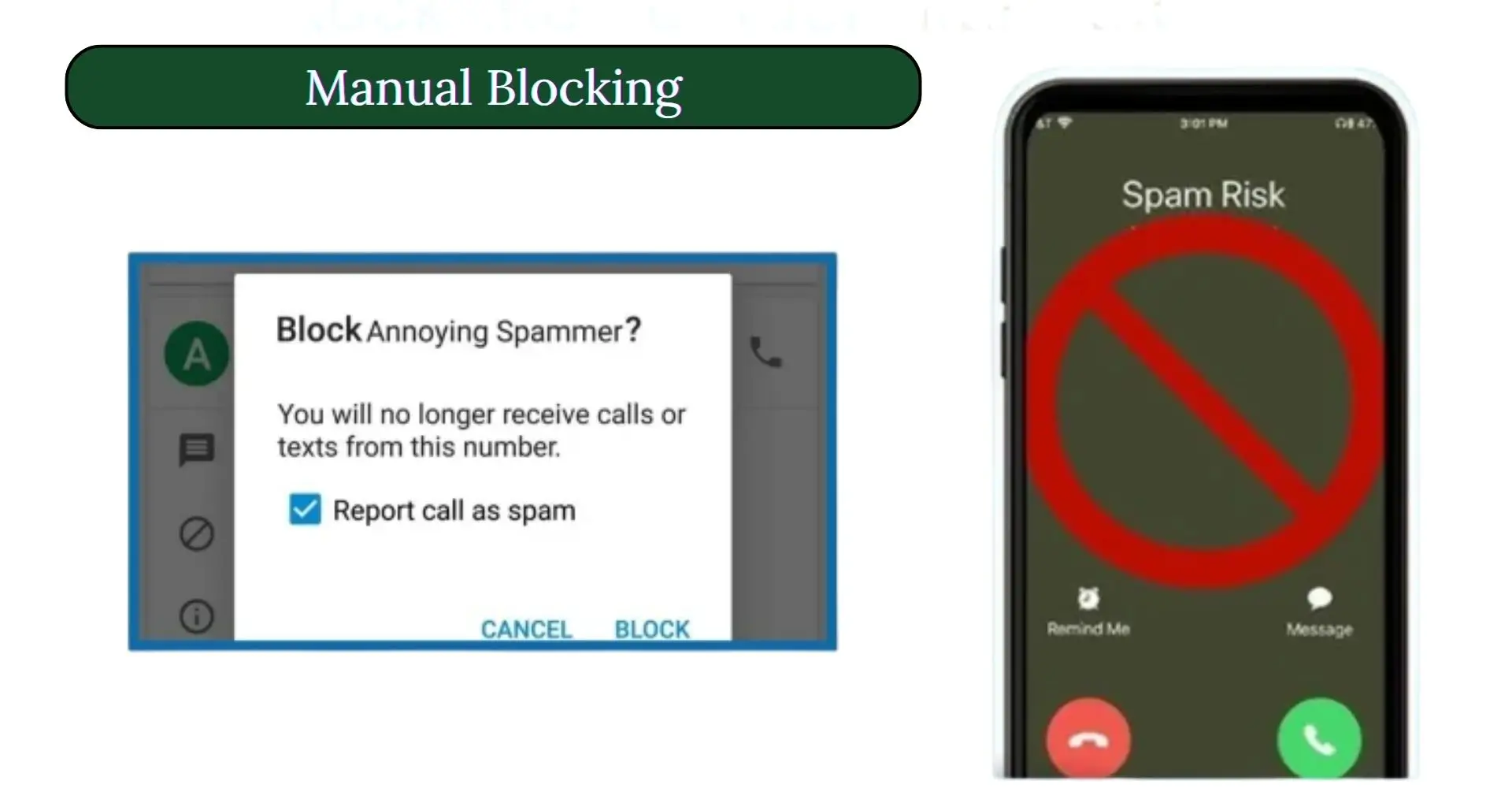
3. Manual Blocking
If you receive spam from a specific number, you can block it manually.
Steps:
- Open the message
- Tap on the sender number
- Click the three dots (top corner)
- Select Block Number
- Save changes
Result:
That number will no longer send messages to you.
⚠️ Note: This only blocks one number. Scammers may use different numbers.

4. Report Spam & Scam Messages
Reporting is one of the best ways to stop scammers permanently.
How to Report:
- Visit the official TM/Globe website
- Go to the Spam Report section
- Upload screenshots of messages

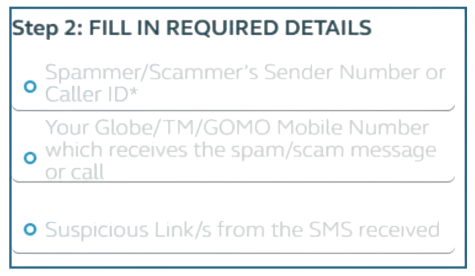
- Fill details:
- Sender number
- Your number
- Message content
- Agree to terms
- Submit the report
What Happens After Reporting?
- The network becomes safer for everyone
- Your complaint is reviewed
- Action is taken against scammers
5. Forward Spam Messages to 7726
This is a very powerful method.
Steps:
- Open the spam message
- Forward it to 7726 (SPAM)
- This helps block the sender from the network.
Result:
Your report goes directly to the telecom system for blocking.
6. Use Phone Built-in Filters
Your phone already has security options.
For Android:
- Open Messages
- Go to Settings
- Enable Spam Protection
For iPhone:
- Go to Settings
- Open Messages
- Turn ON Filter Unknown Senders
Read Also: How To Deactivate TM SIM Card Online
Why You Should Block and Report Spam
Blocking spam messages gives you many benefits:
Key Benefits:
- Keeps your data safe
- Reduces scam risks
- Stops annoying messages
- Improves phone security
- Helps telecom companies catch scammers
How Scammers Trick People
Understanding scams helps you avoid them.
Common Tricks Used by Scammers:
- Fake Rewards: “You won a prize! Click here”
- Urgent Messages: “Your account will be blocked!”
- Fake Bank Alerts: “Verify your account now”
- Job Offers: “Earn money easily from home”
- GCash Scams:“Your wallet is locked. Click link”
Read Also: TM SIM Replacement With Same Number
How to Avoid Scam Texts on TM SIM

Prevention is always better than cure.
Follow these safety tips:
1. Never Click Unknown Links
Links from unknown numbers can hack your phone.
2. Don’t Reply to Suspicious Messages
Even replying “STOP” can confirm your number is active.
3. Don’t Share Personal Information
Never share:
- OTP codes
- Passwords
- Bank details
4. Avoid Public Sharing of Number
Posting your number online increases spam.
5. Don’t Use Untrusted Apps
Some apps collect your data and sell it.
6. Enable Two-Factor Authentication
This adds extra security to your accounts.
7. Keep Your Phone Updated
Updates fix security issues.
8. Be Careful with Calls Too
Scammers may call pretending to be officials.
What to Do If You Clicked a Scam Link
If you accidentally click a scam link, don’t panic. Follow these steps:
1. Disconnect Internet
Turn off mobile data or Wi-Fi immediately.
2. Delete Suspicious Apps
Remove any unknown apps installed.

3. Change Passwords
Update passwords for:
- Banking apps
- Social media
4. Enable Security Features
Turn on:
- Two-factor authentication
- Phone security lock
5. Contact Your Bank
If you shared financial details, inform your bank immediately.
Read Also: 0985, 0953, 0962 And 0968 What Network Phillipines
Tips to Stay Safe
- Always double-check links
- Trust only official sources
- Educate your family and friends
- Stay updated about new scams
TM SIM Registration Is Important
Make sure your TM SIM is registered.
Why?
- Helps track scammers
- Required for reporting
- Improves network security
Read Also: TM Surf4All99 Promo
FAQs About Stopping Spam & Scam Texts on TM SIM
Spam messages are unwanted texts sent in bulk, mostly containing promotions, ads, or unknown links. Scam texts are more dangerous because they try to steal your personal information, bank details, or login credentials. Both types of messages can interrupt your work and even put your safety at risk if ignored.
Spam messages are sent to many users randomly. Sometimes scammers get your number from online forms, apps, or public directories. TM SIM users are often targeted because of the large number of subscribers in the Philippines, making it easy for scammers to send bulk texts.
Yes, they can. Clicking on links in scam messages may lead to malware installation or phishing websites. This can steal photos, account details, and even banking information. It’s important to avoid unknown links and never share sensitive data via SMS.
You can block spam using multiple methods. TM SIM offers an official spam blocker activated by dialing *123#. You can also use spam filters through apps like Google Messages or manually block numbers sending unwanted texts. These methods effectively reduce spam messages.
TM SIM Spam Blocker is an official service by Globe Telecom. Once activated, it filters and blocks scam messages automatically. You just need to follow the on-screen instructions after dialing *123# to set it up, and it will prevent most unwanted texts from reaching your inbox.
Yes, reporting spam is easy and very helpful. TM and Globe provide a #StopSPAM portal where you can upload screenshots of scam texts and provide details like sender number and message content. Reporting ensures authorities take action and reduces spam for all users.
No, it is never safe. Clicking links from unknown numbers can lead to phishing attacks, malware downloads, and financial theft. Always delete suspicious messages and do not share your personal information. TM or Globe will never ask for sensitive data through text.
You can avoid scams by enabling spam filters, not replying to unknown numbers, not sharing your phone number publicly, and using two-factor authentication for your accounts. Being cautious about free offers or job opportunities sent via SMS also helps protect your personal information.
If you clicked a scam link, disconnect from the internet immediately, delete any suspicious apps, and change passwords for all sensitive accounts. Inform your bank if financial information was shared. Also, report the scam to TM/Globe to prevent further issues.
Blocking and reporting spam protects your personal data, prevents financial loss, and reduces unwanted messages. It also helps Globe Telecom improve network safety and prevents scammers from targeting other users. Every user’s action contributes to a safer mobile environment.
Conclusion
In conclusion, spam and scam texts on TM SIM are more than just annoying—they can put your personal information and finances at risk. By using spam filters, TM SIM blockers, manual blocking, and reporting spam messages, you can protect yourself effectively. Always stay cautious, avoid clicking unknown links, and never share sensitive information. Following these simple steps ensures your mobile experience stays safe and secure. Take action today and encourage others to do the same, making the TM network safer for everyone.