GlobeOne App 2027: Complete Guide To Download, Not Working Fix And Create An Account
GlobeOne App 2027. The GlobeOne App is a helpful mobile application designed for Globe and TM users. It allows you to manage all your mobile services in one place without visiting a store. Through the app, users can buy loads, subscribe to data promos, check their balance, redeem reward points, manage SIM services and pay bills directly from their phone. One useful feature is the rewards system, where points earned from these transactions can be converted into real mobile loads.
This makes the app practical for daily use. In this guide, you will learn how to download the GlobeOne App, create an account, load and use the app, explore its features and fix common problems when the GlobeOne App is not working.
Read also: TM SIM PUK Code
What is the GlobeOne App
The GlobeOne App is the official mobile application from Globe Telecom. It is designed to bring all Globe services into one place. Before this app, users had to use different methods to check their balance, subscribe to promos, or pay bills. Now everything can be done inside a single application. You can think of the GlobeOne App like a control panel for your SIM card. From the app dashboard you can:
- Check your mobile balance
- Buy load
- Subscribe to data promos
- Pay postpaid bills
- Redeem rewards
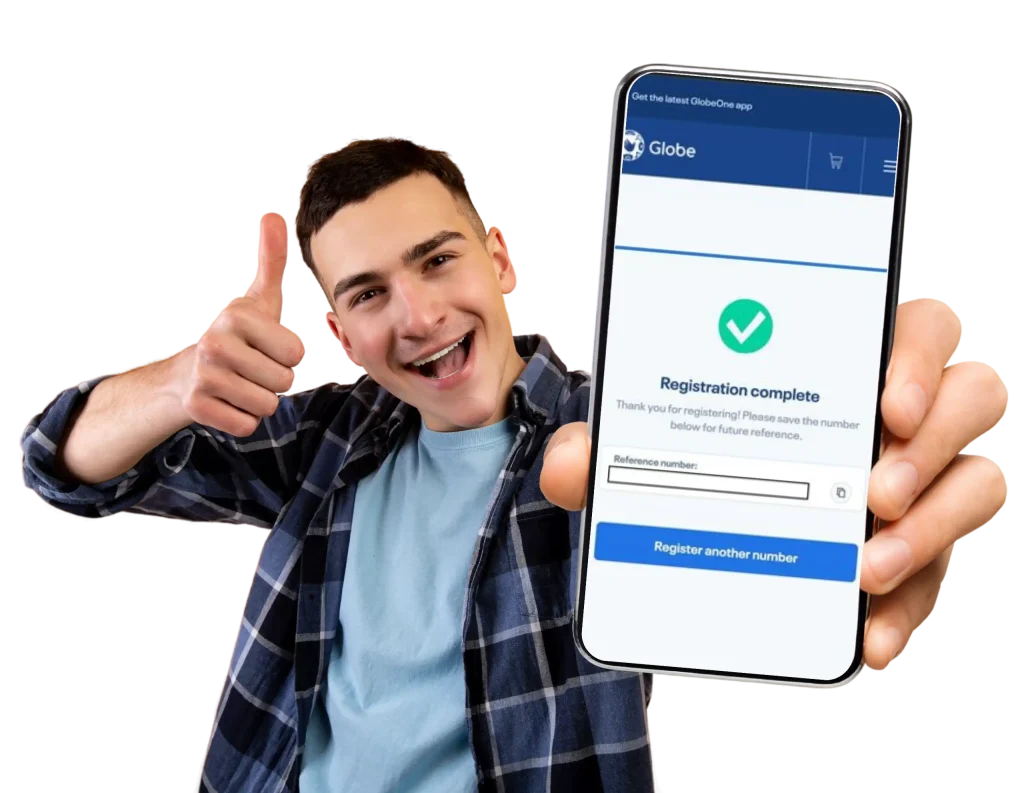
- Manage your SIM registration
- Apply for GFiber internet
This makes the app very useful for people who want quick access to their mobile services.
GlobeOne App Key Features
The GlobeOne App offers many helpful features for users. These features make it easier to control your account anytime.
Buy Promos
The app allows users to purchase data, call and text promos instantly. Instead of dialing codes or visiting stores, you can simply open the app and choose the promo you want.
For example:
- Data promos for internet browsing
- Call promos for unlimited calls
- Text promos for SMS packages
Everything can be activated within seconds.
Buy Load
Another important feature is the Buy Load option. You can add load to:
- Your own mobile number
- Family members
- Friends
This is very useful when someone in your family needs load quickly.
Example: If your brother runs out of balance, you can send load directly through the app.
SIM Services
The GlobeOne App also helps you manage SIM related services. These include:

- SIM registration
- Checking SIM status
- Getting your PUK code
- Updating account details
Instead of calling customer service, many problems can now be solved directly inside the app.
View Vouchers
Users can also check available vouchers and discounts. Sometimes Globe offers special deals such as:
- Discounted promos
- Free vouchers
- Reward coupons
You can view and redeem these vouchers directly in the app.
Add GFiber Internet
A new feature in the app allows users to apply for GFiber internet service. You can:
- Apply for a new connection
- Add GFiber to your existing account
- Check internet plan details
This makes internet service management easier.
Pay Bills
The GlobeOne App also allows users to pay bills directly. You can pay:
- Mobile postpaid bills
- Broadband bills
- Other supported billers
All payments appear in your payment history, which helps you keep track of your expenses.
Renew Mobile Plans
If you already have a plan, you can renew or upgrade your plan using the app. This saves time because you do not need to visit a Globe store.
Read also: TM SIM Roaming
GlobeOne App Download Guide
Downloading the GlobeOne App is simple. It only takes a few minutes. Follow the steps below.
Start the Download
First, download the GlobeOne App from the official source. You can find the app on:
Search for GlobeOne App and tap the download button.
Install the App
Once the download is finished:
- Tap Install
- Wait for the installation process to complete
- Tap Open
The app will now launch on your device.
Allow Permissions
When the app opens for the first time, it may ask for permissions such as:

- Location access
- Notifications
These permissions help the app provide personalized promos and offers. Tap Agree to continue.
How To Create an Account in GlobeOne App
If you are using the GlobeOne App for the first time, you must create an account. Follow these steps carefully.
Open the App
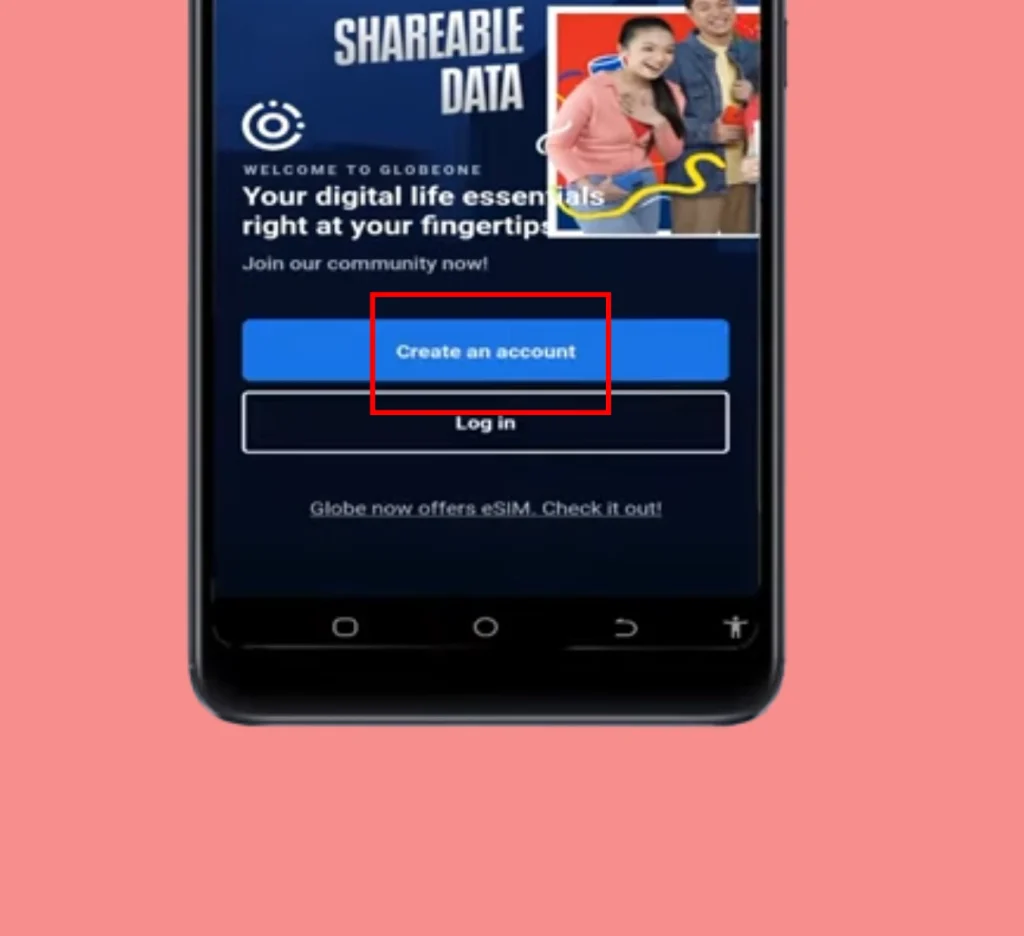
Launch the GlobeOne App on your phone. You will see two options:
- Create an account
- Log in
Tap Create an Account.
Enter Your Mobile Number
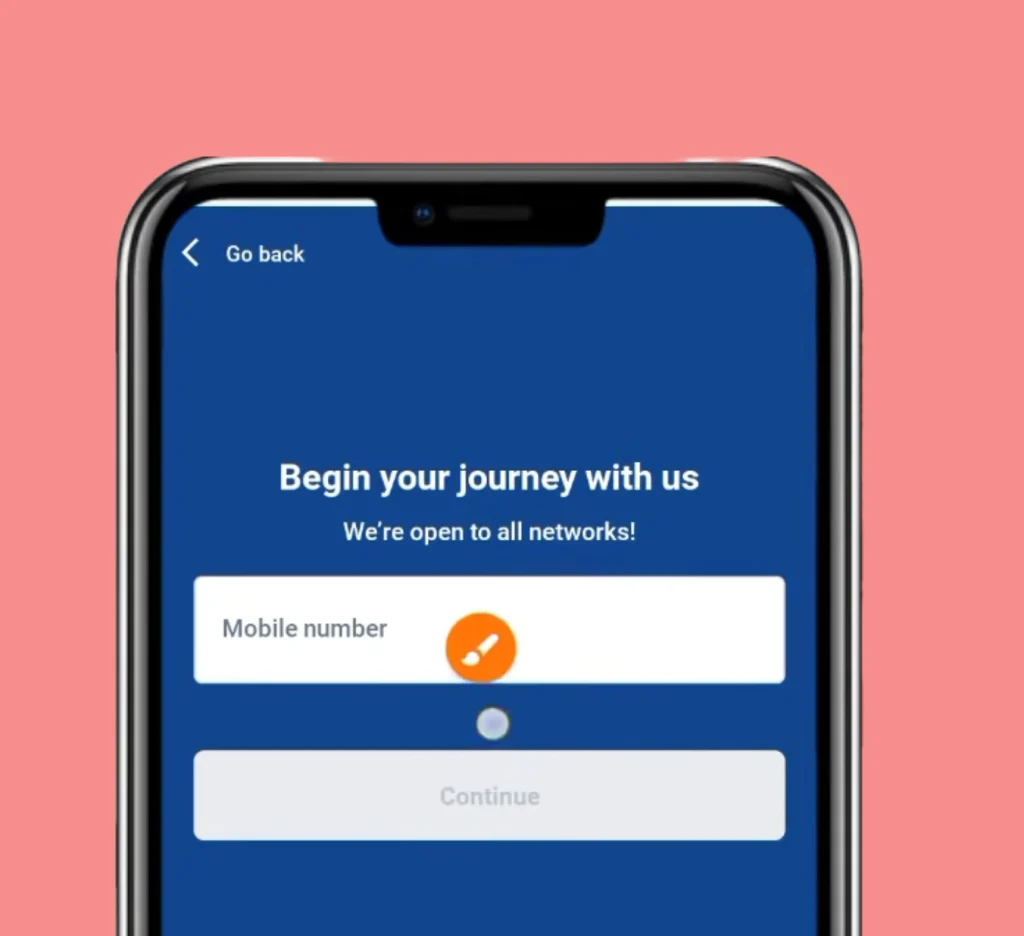
Next, you need to enter your Globe or TM mobile number. You will see two options:
- Use Philippine number
- For PH visitors
Choose Use Philippine number and enter your number. Tap Continue.
Enter the Verification Code
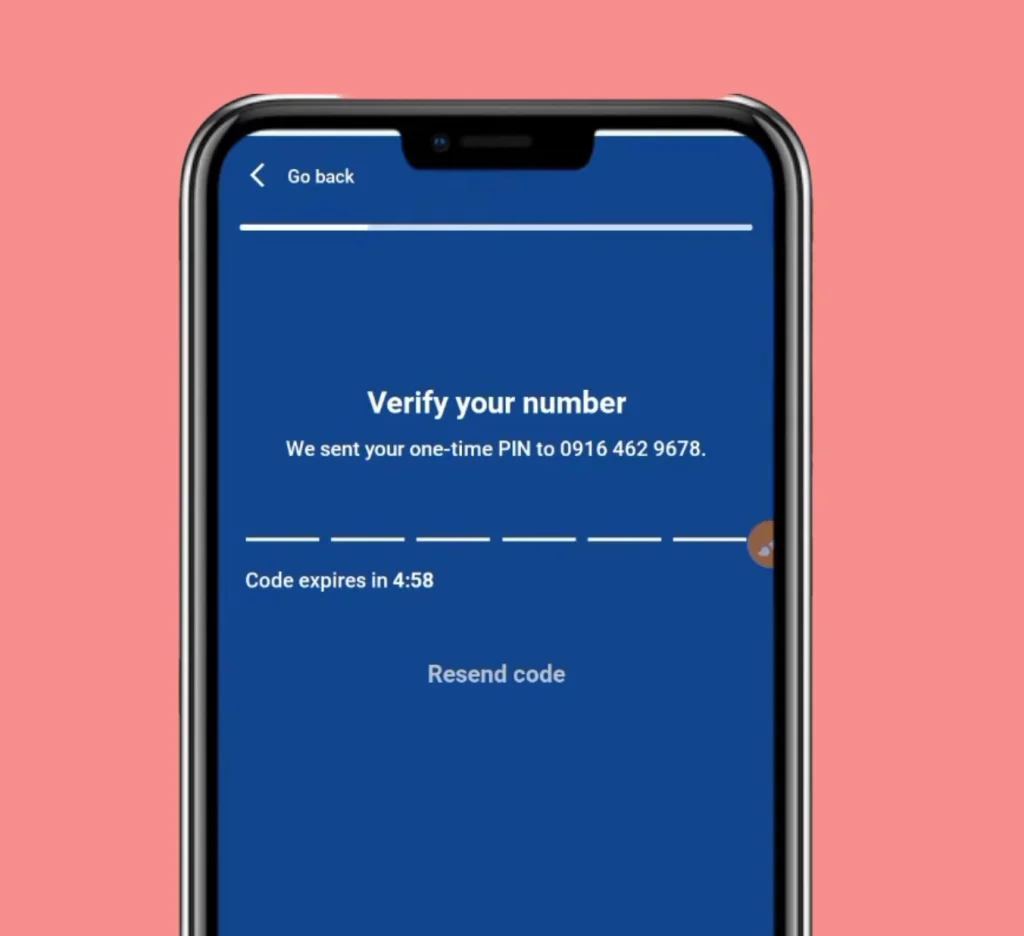
- After entering your number, the system will send a verification code (OTP) to your phone.
- The code must be entered within 4 minutes.
- For many users, the app automatically detects the OTP and fills it in.
Create a 6 Digit PIN
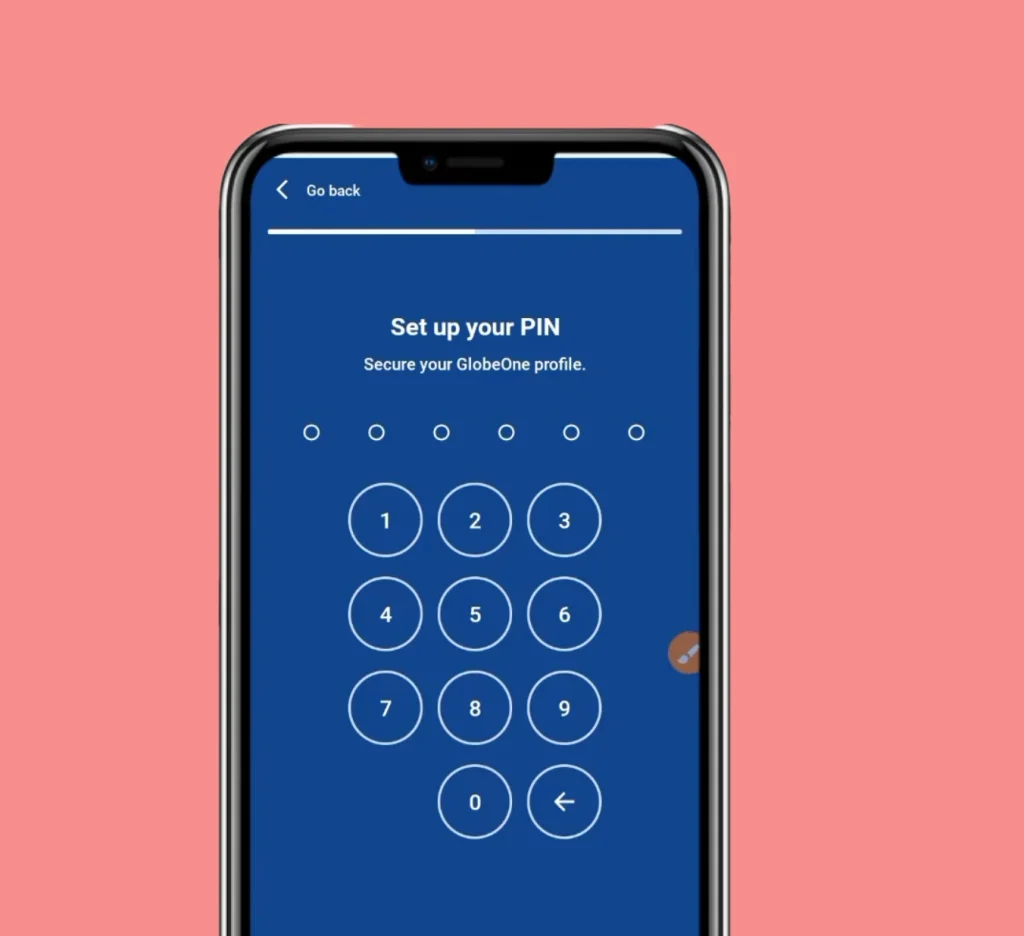
- Now you need to create a 6 digit PIN.
- This PIN will be used every time you log in to the app.
- Choose a PIN that you can remember easily.
- For safety, you may also write it in a notebook or save it in a secure place.
- After entering the PIN, confirm it again.
Create Your Profile
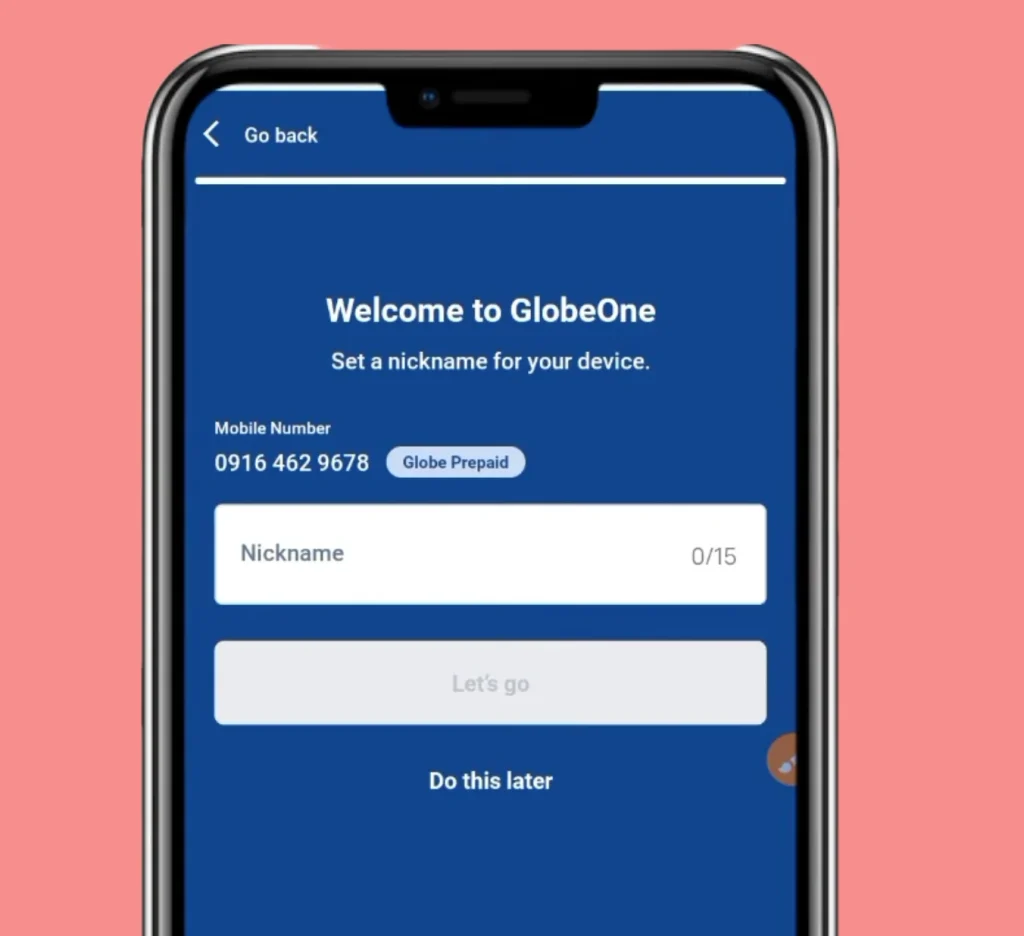
- Next, you will create your profile.
- Enter a nickname for your account.
- The nickname can be up to 15 characters.
- After entering the nickname, tap Let’s Go.
Complete the App Tutorial
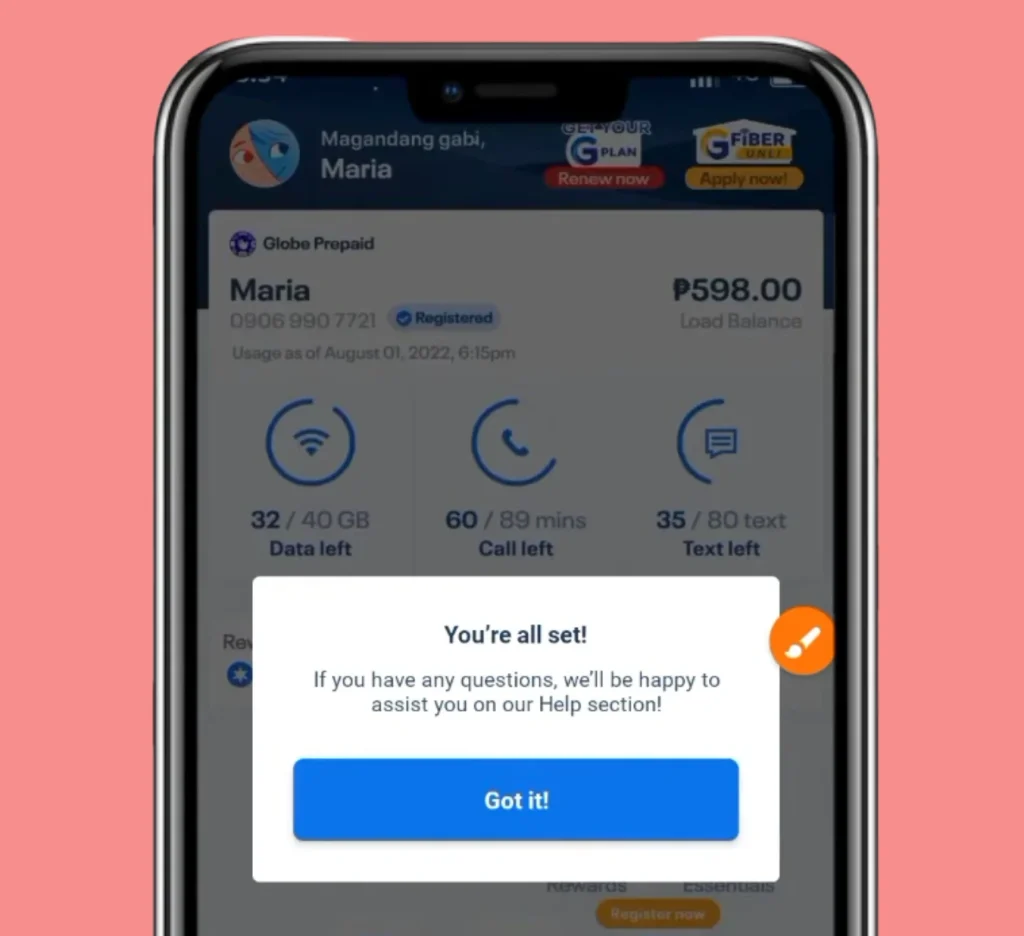
- After your account is created, the app will show a short tutorial.
- This tutorial explains the main features of the app.
- Tap Next until the tutorial ends.
Access the Dashboard
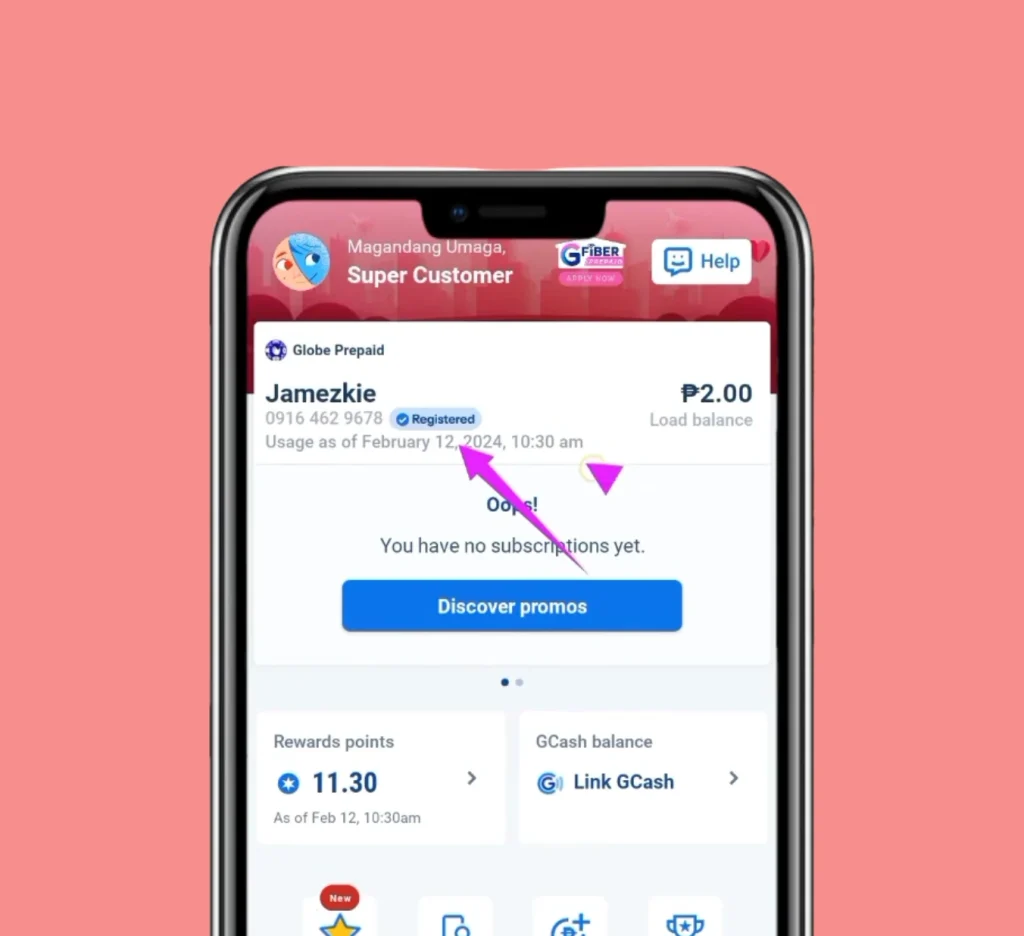
You will now see the GlobeOne Dashboard. The dashboard shows:
- SIM registration status
- Balance
- Available promos
- Rewards points
If your SIM is not registered, the app will ask you to register it.
GlobeOne Login Guide
After creating an account, logging in becomes easy. Simply open the app and enter:
- Your mobile number
- Your 6 digit PIN
The app will take you directly to your dashboard.
Read Also: How To Deactivate TM SIM Card Online
Wrong Username or Password

Sometimes users enter the wrong password. If you see a wrong password message, follow these steps.
- Tap Forgot Password
- Check your email
- Click the password reset link
- Create a new password
After that, you can log in again.
How To Load GlobeOne App
Many users ask how to load using the GlobeOne App. The process is simple and secure. Follow these steps.
Open the App
Launch the GlobeOne App and log in to your account.
Go to the Shop Section
On the dashboard, tap the Shop tab. This section shows all available:
- Load options
- Prepaid promos
Select Buy Load
Next, tap Buy Load. Choose the amount you want to load. For example:
- ₱20 load
- ₱50 load
- ₱100 load
Confirm the Mobile Number
Select the mobile number where the load will be sent. You can load:
- Your own number
- Another Globe number
Choose Payment Method
The GlobeOne App supports several payment methods. You can pay using:
- GCash
- Credit card
- Debit card
- Promo vouchers
Choose your preferred method.
Confirm Payment
- After choosing the payment method, confirm the transaction.
- Your load will be credited instantly.
- You may also receive bonus data or small discounts depending on the promo.
GlobeOne App Promos And Entertainment Packages
The GlobeOne App also offers many special promos. For example, a popular promo includes:
- ₱99 package
- 8GB data for all sites
- Extra 8GB for selected apps
- Free lifestyle voucher
These promos are regularly updated.
Disney+ Subscription
Users can also subscribe to Disney+ through the app. Disney+ provides movies and series from:
- Disney
- Pixar
- Marvel
- Star Wars
- National Geographic
The subscription also allows users to:
- Download content
- Create up to 7 profiles
Prime Video Subscription
Another entertainment service is Prime Video. The pricing options include:
- ₱149 for 30 days
- ₱399 for 90 days
- ₱749 for 180 days
- ₱1,349 for one year
These subscriptions can be activated inside the Promos or Lifestyle section of the app.
Read Also: Stop Spam & Scam Texts On TM SIM
GlobeOne App Not Working
Sometimes users experience problems while using the GlobeOne App. Below are common issues and solutions.
App Not Opening
If the app is not opening, try these steps.
- Restart your phone
- Update the app
- Clear the app cache
- Reinstall the app
Most problems are solved after reinstalling the app.
Login Problem
If you cannot log in:
- Check your mobile number
- Make sure your PIN is correct
- Reset your password if needed
OTP Not Received
Sometimes the OTP does not arrive. You can try:
- Checking your signal
- Waiting a few minutes
- Requesting a new OTP
App Loading Slowly
If the app loads slowly, it may be due to:
- Slow internet connection
- Server issues
- Old app version
Updating the app usually fixes this problem.
Tips For Using GlobeOne App
To keep your account safe, follow these tips.
- Never share your OTP code
- Keep your PIN secret
- Always log out from shared devices
- Update the app regularly
These steps help protect your account from unauthorized access.

Why GlobeOne App is Useful for Users
The GlobeOne App makes mobile account management very easy. Instead of visiting stores or dialing codes, users can handle everything from their phone. The app saves time and gives quick access to many services such as:
- Load purchase
- Promo activation
- Bill payments
- Rewards redemption
Because of these features, many Globe users now prefer the app.
Read Also: TM Easy Plan 150
FAQs About GlobeOne App
Conclusion
The GlobeOne App makes it easy for Globe and TM users to manage their mobile services in one place. Users can download the app, create an account, buy load, subscribe to promos, pay bills and redeem rewards quickly. The app also allows users to manage SIM services and explore entertainment offers like Disney+ and Prime Video. Loading through the app is simple using GCash, debit or credit cards. If the GlobeOne App is not working, updating the app, restarting the phone or reinstalling it can fix most issues. Overall the app helps users manage their Globe services faster and more conveniently.