How To Transfer Or Convert TM Load To GCash 2026: Complete Guide For User
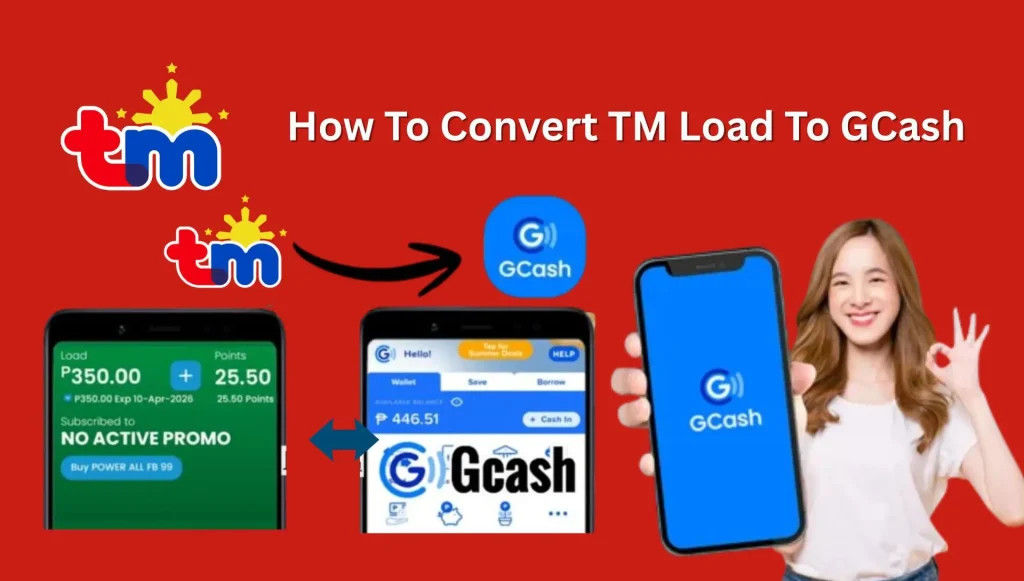
How To Transfer Or Convert TM Load To GCash. Have you ever topped up your TM (Touch Mobile) load only to have some balance go unused? It can be frustrating when your prepaid load sits idle while you could use it for bills, online payments, or transferring money to your GCash account. In 2026, converting TM load to GCash is possible again, even though the GCash app removed this feature in 2016.
There are now several reliable methods, including Load2Cash, Load to Cash, peer-to-peer exchanges, Facebook money exchangers, or selling your load directly. Each option has different fees, limits, and processing times, but all help you maximize your unused load.
This guide will show step-by-step methods, tips, and precautions so you can safely and efficiently turn your TM load into cash or GCash balance.
What is TM Load and GCash?
TM Load is prepaid balance used for calls, texts, and internet. GCash is a mobile wallet that allows you to send money, pay bills, shop online, and more. Many users want to convert TM load into GCash because GCash is more flexible and useful.
Read Also: TM Balance Inquiry

Why Convert TM Load to GCash?
Many people top up their TM load for promos or calls and end up with extra balance that goes unused. Converting this load into GCash has several advantages:
- Maximizes unused load – no more wasted prepaid balance.
- Instant cash conversion – use your funds for bills, online shopping, or transfers.
- Multiple cash-out options – GCash, PayMaya, bank transfers, and more.
- Trackable transactions – know the exact status of your load conversion.
Important Details About TM Load Conversion in 2026
| Feature | Details |
|---|---|
| Current Services | Load2Cash, Palawan Express, GCash App |
| Conversion Fees | 5%–10% of the load amount |
| Time Required | 1–5 minutes up to 24 hours |
| Load Conversion Limit | ₱100–₱5,000 per transaction |
| Daily Conversion Limit | Up to ₱10,000 |
| Requirements | Active TM SIM & verified GCash account |
| Common Methods | Third-party apps or peer-to-peer exchanges |
| User Base | 77+ million GCash users (2023) |
| Growth Rate | 30% yearly increase in load conversions |
Read Also: How To Update TM SIM Registration Details Online
Can You Convert TM Load Directly in GCash?
No, After 2016, GCash removed the option to convert load directly inside the app. But don’t worry in 2026, you can still convert TM load using third-party apps and other methods.
Method 1: Convert TM Load to GCash via Load2Cash App
Load2Cash is a popular third-party app for converting TM, Globe, and Smart loads into GCash.
Key Features of Load2Cash
- Supports multiple SIM networks, including TM.
- Works for converting prepaid load to cash for GCash, PayMaya, and bank accounts.
- Has a Google Play rating of 2.5 stars with customer reviews.
Conversion Fees
Load2Cash charges high fees:
- 50% transaction fee
- 12% telco tax
Example: Converting ₱100: ₱50 (transaction fee) + ₱12 (tax) → you receive ₱38.
Conversion Time
- Requests are processed on the 20th of every month.
- If requested on May 20, payment is released on June 20.
- Disadvantage: slow processing and low cash received.
Steps to Convert TM Load via Load2Cash
- Download the app from the Play Store.
- Register a new account or log in if existing.
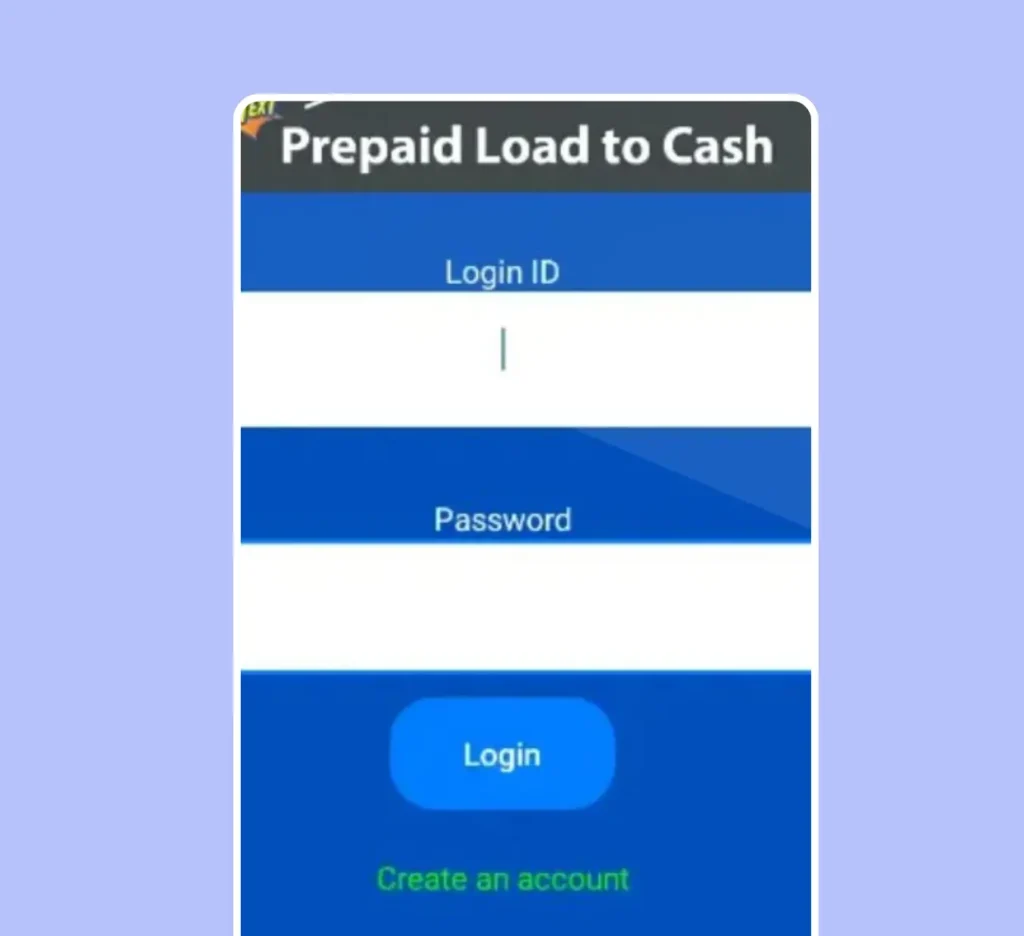
- Tap Convert on the homepage.
- Select regular or continuous conversion.
- Choose the amount you want to convert.
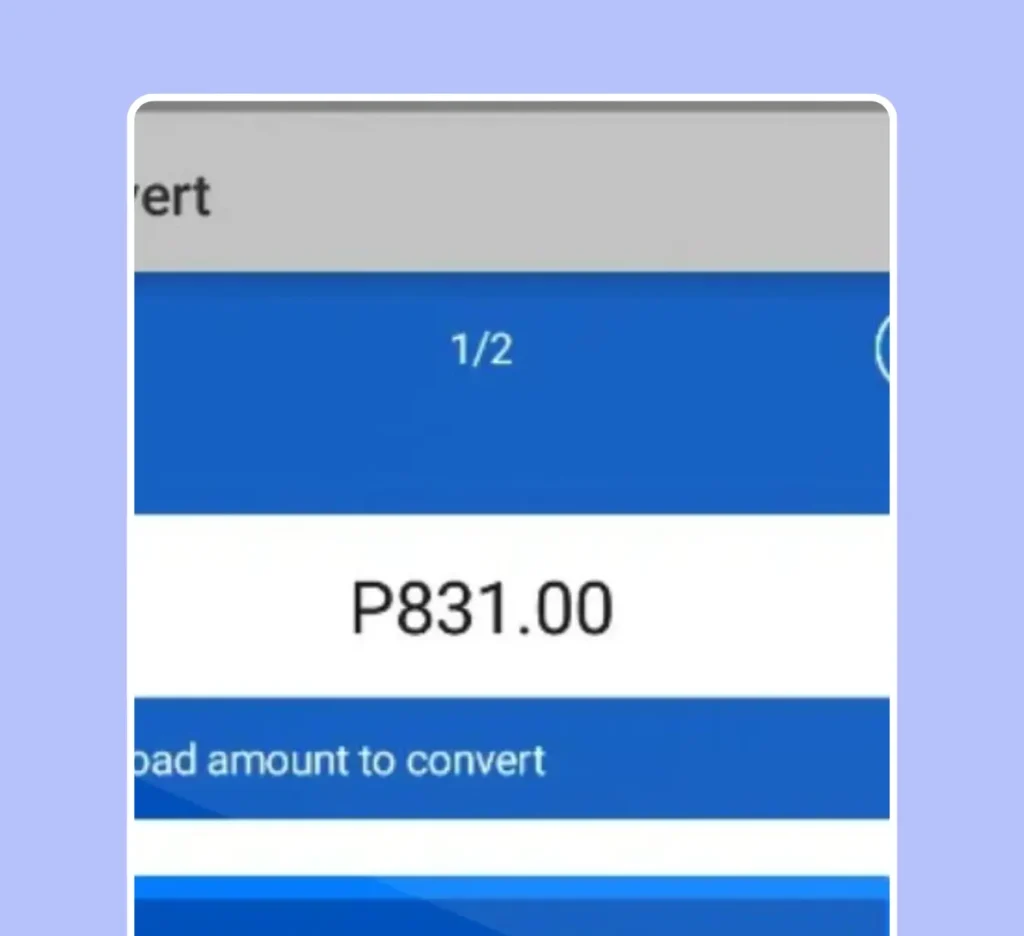
- Tap Convert to finalize.
- Check updates and transaction details within the app.
- Go to Cash Out and select GCash, PayMaya, or Bank Transfer.
- Enter required account details and submit.
Pros:
- Works with multiple networks
- Multiple cash-out options
Cons:
- High fees and taxes
- Slow processing time
Method 2: Convert TM Load Using GCash App
Although the direct conversion feature was removed in 2016, you can still use the GCash app for indirect methods, like selling your load or using peer-to-peer exchanges.
Steps to Convert Regular Load via GCash
- Download GCash app and create a verified account.

- Tap the Convert button on the home screen.
- Choose the amount of load to convert.
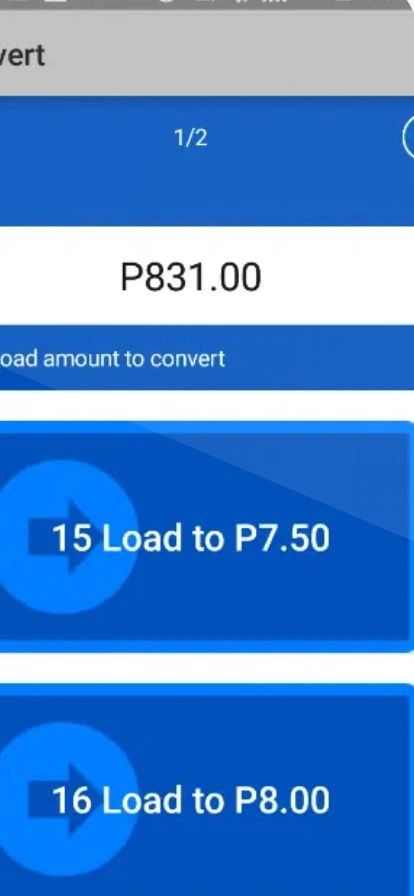
- Confirm the conversion request.
- Go to Cash Out section.

- Select a cash-out option: Cebuana Lhuillier, Palawan Express, or bank.
- Enter full details accurately.
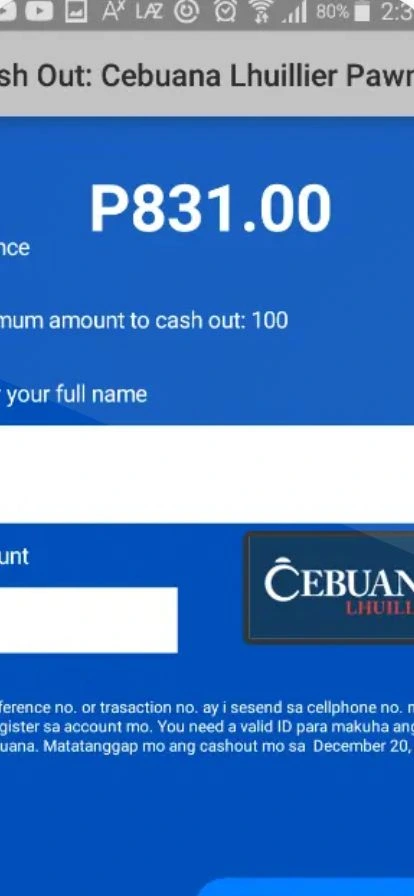
- Type the amount to transfer to GCash.
You will receive a reference number to track your transaction. Check the Transactions tab for status, amount, and transaction ID.
Read Also: GlobeOne App: Complete Guide To Download
Method 3: TM Load to GCash via Load to Cash App
Load to Cash App is another method to convert TM load to cash. It charges fees from both the SIM user and the app gateway.
Conversion Fees and Time
- ₱450 in cash requires ₱670 load.
- Carrier fee: ₱70, Gateway fee: ₱250.
- Conversion process: 2 days.
Steps For Conversion
- Download Load to Cash App.
- Login or register.
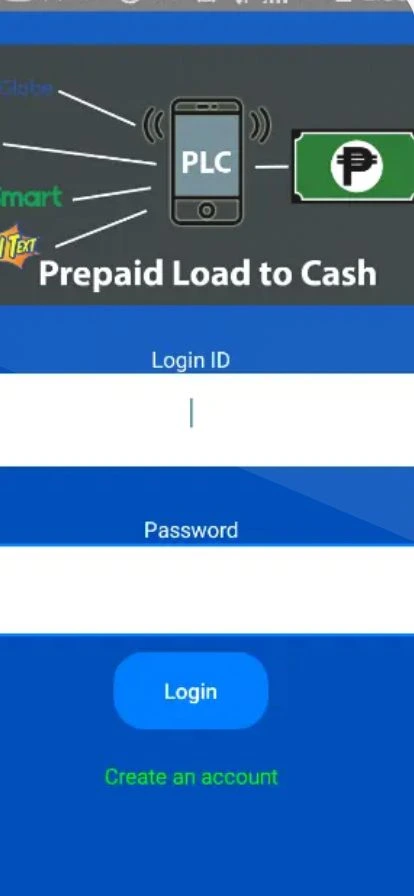
- Tap Convert on the homepage.
- Choose regular or continuous conversion.
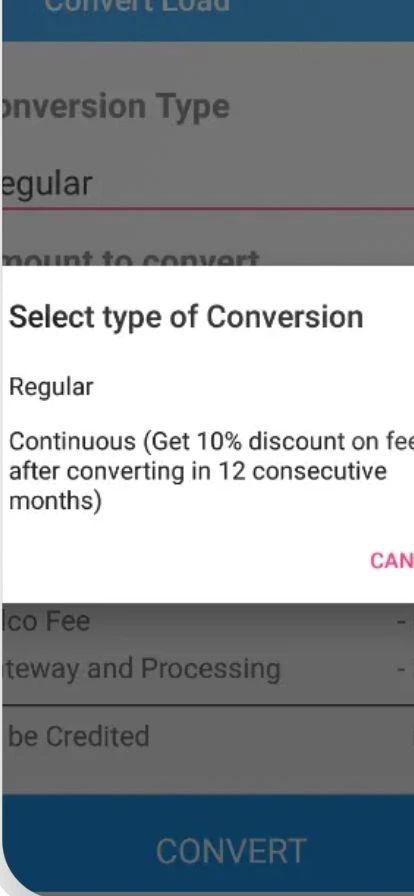
- Enter the amount to convert.
- Tap Convert to finalize.
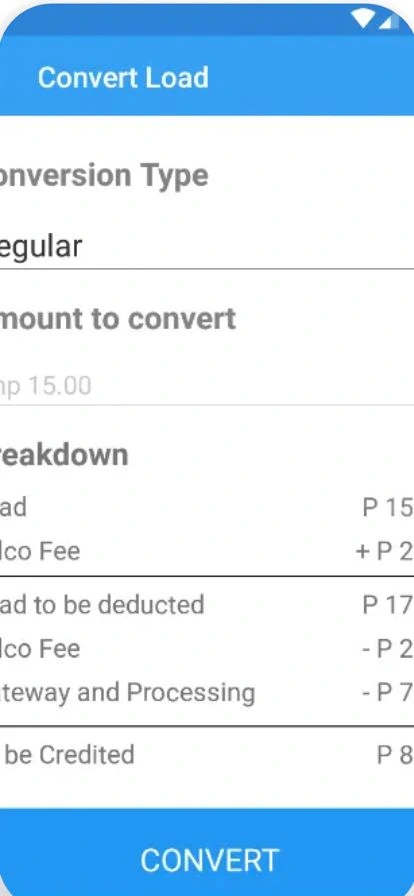
- Check updates and transaction details.

- Go to Cash Out and select your preferred method (GCash, PayMaya, Bank).

- Enter account details and submit.
Method 4: Convert TM Load via Facebook Money Exchangers
A popular alternative is to use Facebook groups where users convert TM load to GCash.

Tips for Safe Transactions
- Join trusted groups only.
- Check reviews, ratings, and comments.
- Request proof of previous transactions.
- Only deal with verified and reliable exchangers to avoid scams.
Pros:
- Flexible transaction amounts
- Instant conversion
Cons:
- Risk of scams
- Must find a trustworthy exchanger
Method 5: Sell Prepaid Load for Cash
You can also sell your TM load directly to a friend or buyer willing to pay via GCash.
Steps
- Find a buyer with a verified GCash account.
- Negotiate a conversion rate (e.g., ₱100 load for ₱80).
- Transfer the load and receive GCash payment.
Pros:
- Simple and direct
- No extra apps required
Cons:
- Need a buyer on the same network
- Manual transaction verification
Read Also: TM SIM Deactivation In Philippines
Video Guide
Pros And Cons of TM Load Conversion

| Pros | Cons |
|---|---|
| Maximize unused load | High conversion fees |
| Instant cash conversion | Additional taxes applied |
| Multiple cash-out options | Longer processing time |
| Safe and secure transactions | Risk of scams (especially on Facebook) |
| Trackable transaction history | Limited conversion options |
| Budget flexibility | |
| No need for physical visits |
Read Also: TM Surf4All99 Promo
Tips for Successful TM Load Conversion
- Sell Your Load Directly First: Always try to sell your TM load to a friend or buyer before using apps. This gives you the best value with very low loss.
- Compare Conversion Rates: Different apps and traders offer different rates. Always compare before converting to avoid losing more money.
- Avoid High-Fee Apps: Some apps charge up to 50% fees. Use them only if you have no other option.
- Start with a Small Amount: Before converting a large amount, test with a small load to make sure the method is safe and working.
- Use Trusted Platforms Only: If using Facebook traders or exchangers, check reviews, comments, and proof of transactions.
- Make Sure Your TM SIM is Registered: Unregistered SIM cards may cause errors or failed transactions.
Common Problems and Solutions
1. SIM Not Registered
- Make sure your TM SIM is registered
- Otherwise conversion will fail
2. High Fees
- Avoid apps with 50% charges
- Try direct selling instead
3. Delays
- Some apps take 30 days
- Choose faster methods
4. Scams
- Avoid unknown traders
- Always verify before sending load
Read Also: TM SurfBOOST15 Guide
FAQs
TM load conversion to GCash is the process of turning your unused TM prepaid balance into digital cash that you can use in your GCash account. This allows you to maximize your load instead of letting it go to waste. You can use the converted cash for bills, online payments, bank transfers, and more.
While the GCash app stopped directly converting TM load in 2016, you can still use it indirectly. Methods include selling your load to a verified buyer, using peer-to-peer exchanges, or using third-party apps that support GCash cashouts.
Popular apps for TM load conversion include Load2Cash and Load to Cash. Both apps allow you to convert TM, Globe, and Smart loads into cash, which can then be transferred to GCash. Each app has its own rules, fees, and processing times.
Conversion fees depend on the app or method you choose. Third-party apps usually charge 5% to 50%, plus telco taxes. Peer-to-peer exchanges or selling your load to a buyer may offer lower fees but require careful verification to avoid scams.
The conversion time varies by method. Third-party apps like Load2Cash may take 1 day to a month, depending on the processing schedule, while direct sales or trusted Facebook exchangers can be almost instant, often processed within a few minutes.
Yes, having a registered and active TM SIM is mandatory. Unregistered SIMs may not allow conversion, and some apps will refuse the transaction. Always make sure your SIM is verified before attempting a load transfer.
Most services allow conversion for loads between ₱100 and ₱5,000 per transaction, with a daily limit of around ₱10,000. For smaller or larger amounts, you may need multiple transactions or alternative methods.
Yes, some methods carry risks. Facebook exchangers or peer-to-peer sales may involve scams. Third-party apps can charge high fees or process payments slowly. Always verify the reliability of the service or buyer before proceeding.
Absolutely. Most apps and the GCash platform provide a transaction ID or reference number, which you can use to track the status. This ensures your funds are secure and you can monitor when they are credited to your account.
The best method depends on your priorities. If you want fast cash, peer-to-peer exchanges or selling your load directly may work best. For secure, official conversions, apps like Load2Cash or Load to Cash are reliable despite higher fees. Always consider convenience, cost, and security before choosing a method.
Conclusion
Converting TM load to GCash in 2026 is now easier and practical. You can use Load2Cash, Load to Cash, the GCash app, Facebook exchangers, or direct sales to turn your prepaid balance into cash. Each method has pros and cons: apps are convenient but charge fees, Facebook exchangers are fast but risky, and direct sales need trustworthy buyers. Always verify your TM SIM and GCash account, track transactions, and avoid scams. With careful planning, you can maximize your unused load and enjoy flexible, safe cash conversion.