TM Borrow Load 2026: How To Borrow Load From TM Complete Guide
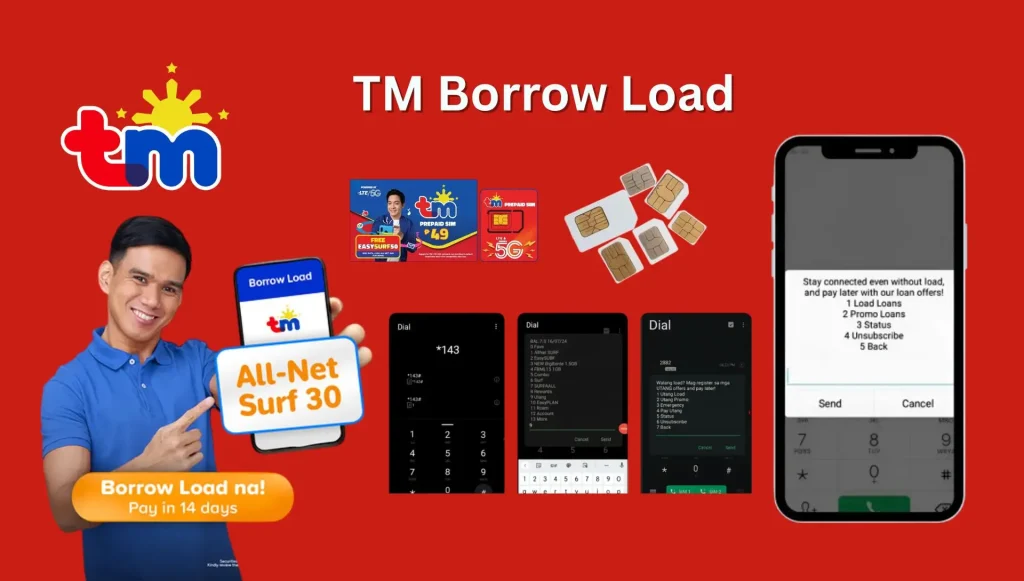
TM Borrow Load 2026. Running out of load during an important moment can be frustrating. Imagine needing to call someone urgently, send an important message, or access the internet, but your balance is already zero. This is where TM Borrow Load becomes very useful.
TM, also known as Touch Mobile, offers a special service called TM Utang Load that allows users to borrow load, data promos, text promos, and call promos even when they have no balance left. This service is very helpful for emergencies and allows subscribers to stay connected anytime and anywhere.
In this complete guide, you will learn everything about how to borrow load from TM, available promo offers, repayment methods, eligibility rules, service fees, advantages, disadvantages and many more important details.
What is TM Borrow Load?
TM Borrow Load or TM Utang Load is an emergency loan service offered by TM for prepaid subscribers. It allows users to borrow regular load or promos even if their current balance is zero. This means you can still:
- Make calls
- Send text messages
- Use mobile data
- Subscribe to promos
- Stay connected during emergencies
After borrowing, the amount you borrowed plus the service fee will be deducted automatically from your next reload. This service is designed especially for users who suddenly run out of balance and cannot immediately buy load.
Read Also: How To Redeem Points In TM
Why TM Utang Load is Important
TM Borrow Load is very useful in daily life because emergencies can happen anytime. Sometimes your promo expires unexpectedly, or you may not have access to a loading station. Here are some common situations where TM Borrow Load helps:
- Emergency phone calls
- Urgent messages
- Internet access for school or work
- Navigation or maps during travel
- Communication with family and friends
- Online banking or verification codes
- Social media access during emergencies
Instead of staying disconnected, TM allows you to continue using your SIM services immediately.
Benefits of TM Borrow Load
There are many reasons why TM subscribers use this service regularly.
1. Works Even With Zero Balance
One of the biggest advantages is that you can still borrow load even if your balance is ₱0.
2. Quick Activation
The process only takes a few seconds through SMS or *143#.
3. Multiple Promo Choices
You can borrow:
- Regular load
- Data promos
- Call promos
- Text promos
- Social media promos
4. Helpful During Emergencies
This service can save you during important situations when buying load is not possible.
5. Automatic Payment
No need to manually remember repayments because TM automatically deducts the loan from your next reload.
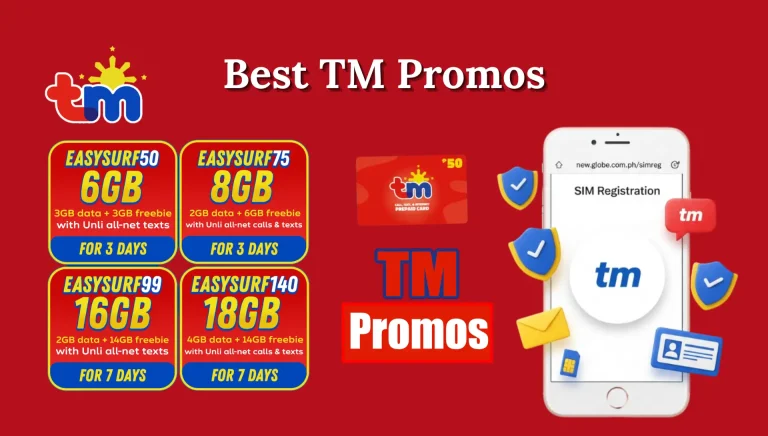
Read Also: Best TM Promos
How To Borrow Load From TM
There are several ways to borrow load from TM. Below are the complete methods explained step by step.
Via Text Message
This is the easiest and most popular method.
Step 1: Open the Messages app on your phone.
Step 2: Type the following format: “UTANG <KEYWORD>”
Step 3: Send it to 3733.
- Example: If you want to borrow ₱10 load, type: “UTANG LOAD10”
Send it to: 3733
Step 4: Wait for the confirmation message from TM.


- If eligible, your borrowed load will be activated immediately.
- If not eligible, TM will send another message explaining which promos or load offers are available for you.
Using *143#
Another easy method is through the TM USSD menu.
Step 1: Dial: *143#
Step 2: Press the Call button.
Step 3: Choose: “Utang”
Step 4: Browse the available offers.
Step 5: Select the load or promo you want.
Step 6: Choose Subscribe.
Step 7: Wait for the confirmation message.
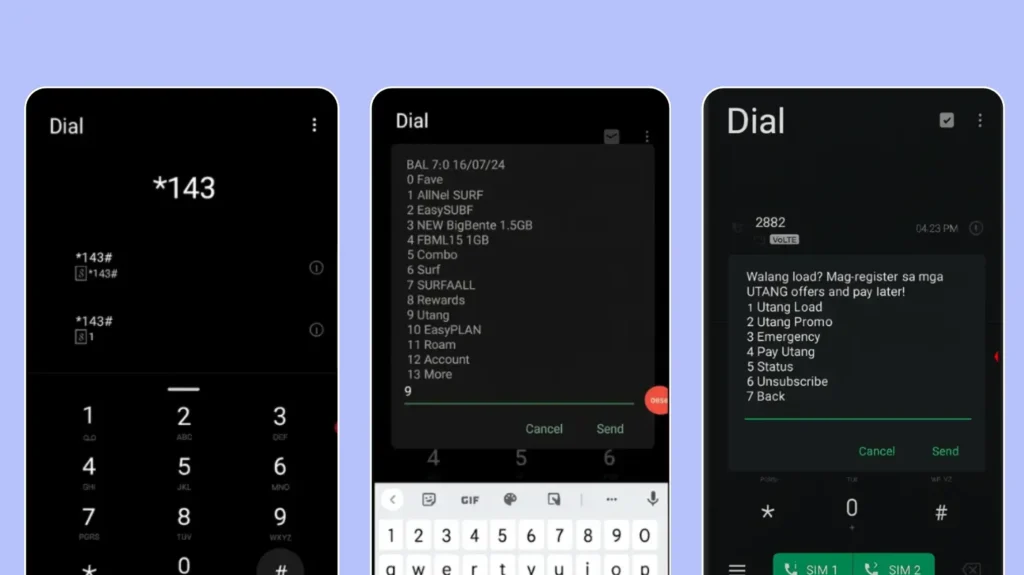
This method is useful because you can directly see all available loan offers on your screen.
Using GCash
GCash also allows users to access borrowing services.
Step 1: Open the GCash app.
Step 2: Go to the Borrow section.

Step 3: If not visible, tap: View All Services
Step 4: Choose: GLoan
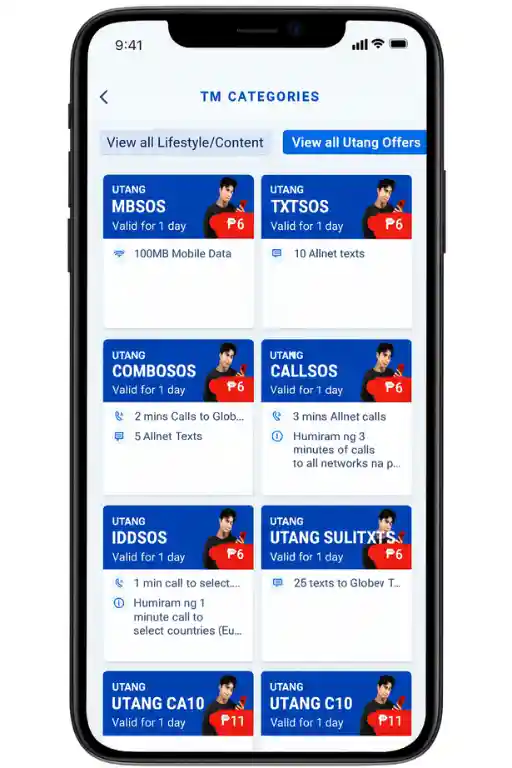
Step 5: Tap: Let’s Go
Step 6: Enter the amount you want to borrow.
Step 7: Choose the purpose of the loan.
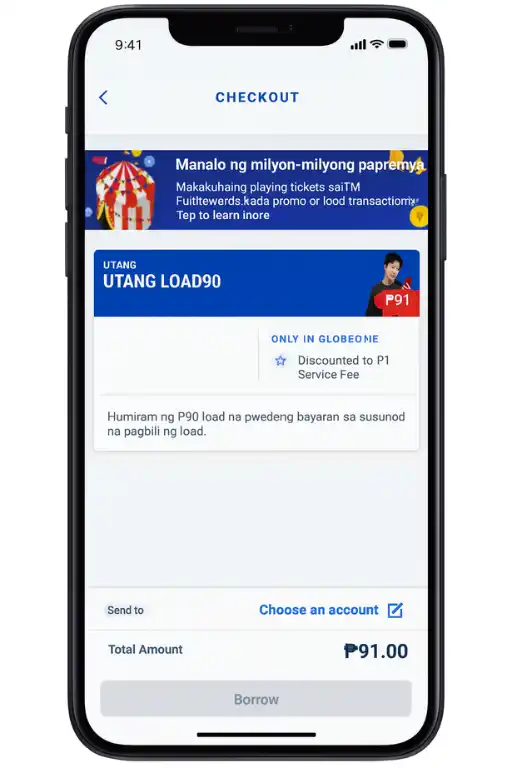
Step 8: Confirm all details.
Step 9: Submit your application.
This method is helpful for users who prefer app-based services.
Through Facebook
TM users can also borrow load while using Facebook Free Mode.
Step 1: Open Facebook using your TM SIM.
Step 2: While in Free Mode, look for: Buy Load or Buy Data
Step 3: Check the available Utang offers.
Step 4: Select your preferred promo.

Step 5: Confirm the registration.
Step 6: Wait for the confirmation message.
This method is very useful when you have no mobile data but still have access to Facebook Free Mode.
Video Guide
Complete List of TM Utang Load Offers
Below is a detailed table of TM Borrow Load offers and promos.
| Keyword | Offer Details | Amount to Pay | Validity |
|---|---|---|---|
| UTANG LOAD5 | ₱5 Load | ₱6 | 3 Days |
| UTANG LOAD10 | ₱10 Load | ₱12 | 3 Days |
| UTANG LOAD15 | ₱15 Load | ₱18 | 15 Days |
| UTANG LOAD20 | ₱20 Load | ₱24 | 15 Days |
| UTANG LOAD25 | ₱25 Load | ₱30 | 15 Days |
| UTANG LOAD30 | ₱30 Load | ₱36 | 15 Days |
| UTANG LOAD35 | ₱35 Load | ₱42 | 15 Days |
| UTANG LOAD40 | ₱40 Load | ₱48 | 15 Days |
| UTANG LOAD45 | ₱45 Load | ₱54 | 15 Days |
| UTANG LOAD50 | ₱50 Load | ₱60 | 15 Days |
Read Also: TM Customer Service Number 24/7 Philippines
TM Call And Text Promo Loans
| Keyword | Promo Features | Cost | Validity |
|---|---|---|---|
| UTANG C10 | 10 mins calls + unlimited TM texts | ₱12 | 1 Day |
| UTANG C15 | 10 mins calls + 50 texts | ₱18 | 2 Days |
| UTANG C20 | 20 mins calls + 50 texts | ₱24 | 3 Days |
| UTANG CA10 | Unlimited calls + texts | ₱12 | 1 Day |
| UTANG CA20 | Unlimited calls + texts | ₱24 | 3 Days |
| UTANG CU10 | 100 texts all networks | ₱12 | 2 Days |
| UTANG T10 | Unlimited texts TM/Globe | ₱12 | 1 Day |
| UTANG U15 | Unlimited calls TM/Globe | ₱18 | 1 Day |
| UTANG UA10 | Unlimited texts all networks | ₱12 | 1 Day |
TM Data Promo Loan Offers
| Keyword | Promo Details | Cost | Validity |
|---|---|---|---|
| UTANG GOSURF10 | 40MB + 200MB Spotify | ₱12 | 1 Day |
| UTANG GOSURF15 | 40MB + 300MB Spotify | ₱18 | 2 Days |
| UTANG GOSURF30 | 100MB + 200MB Spotify | ₱36 | 1 Day |
| UTANG GOSURF50 | 700MB + 400MB Spotify | ₱60 | 3 Days |
| UTANG ASTIGFB10 | 100MB Facebook | ₱12 | 1 Day |
| UTANG YOUTUBE5 | 20MB YouTube | ₱5 | 2 Days |
| UTANG YOUTUBE10 | 100MB YouTube | ₱12 | 1 Day |
| UTANG GOOGLE5 | 20MB Google | ₱5 | 2 Days |
| UTANG INSTAGRAM5 | 20MB Instagram | ₱5 | 2 Days |
| UTANG TWITTER5 | 20MB Twitter | ₱5 | 2 Days |
How Much is the Service Fee?
TM charges a service fee for every borrowed load or promo. The fee is usually around:
- 20% of the regular amount
Example:
| Borrowed Amount | Amount to Repay |
|---|---|
| ₱5 | ₱6 |
| ₱10 | ₱12 |
| ₱25 | ₱30 |
| ₱50 | ₱60 |
The service fee is fixed and there is no additional interest added later.
Read also: TM SIM PUK Code
Eligibility Requirements For TM Borrow Load
Not every subscriber automatically qualifies for all offers. Here are the main eligibility conditions:
- You must be an active TM prepaid subscriber
- Your SIM should have regular usage history
- You should not have unpaid loans
- Your repayment history affects eligibility
- Loan availability depends on subscriber activity
Users with good repayment history usually receive higher borrowing limits.
Important Rules And Conditions
Before borrowing load, you should understand the following conditions.
1. Only One Active Loan Allowed
You cannot borrow another load until the current loan is fully paid.
2. Automatic Deduction
Your loan will automatically be deducted from your next reload.
3. Promos Cannot Be Extended
Borrowed promos usually cannot be extended directly.

4. Eligibility May Change
TM can change your available offers anytime based on your account activity.
Read Also: How To Pasaload In TM
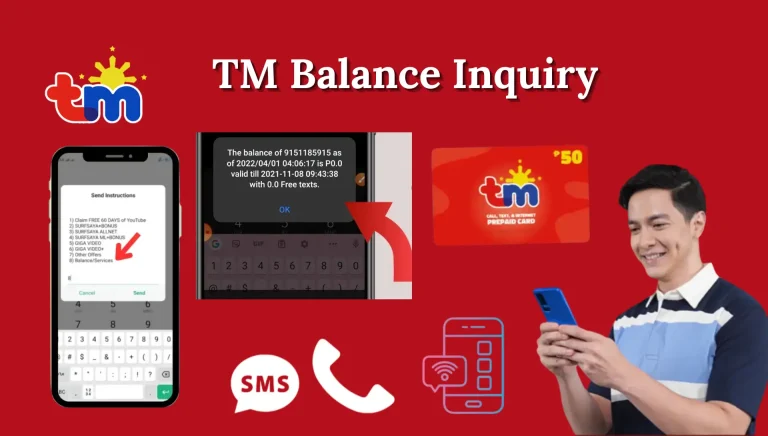
How To Check TM Borrow Load Status
Checking your loan status is simple.
Via *143#
One of the easiest ways to check your TM loan information is by dialing the TM USSD code. This method works even without internet access.
| Steps | Details |
|---|---|
| Step 1 | Dial *143# using your TM SIM number. |
| Step 2 | From the menu, choose the “Utang” option. |
| Step 3 | Enter the number for “Status” and press Send. |
| Step 4 | Select either “Utang Status” or “Utang Promo Status.” |
| Step 5 | Your current loan balance, borrowed promo details, and validity will appear on your screen. |
This method is recommended for users who want a quick and direct way to view their TM loan details.
Through SMS
TM subscribers can also check their loan or promo balance by sending a text message to 3733. This method is fast and convenient because the information is delivered directly through SMS.
| Steps | Details |
|---|---|
| Step 1 | Open the Messages app on your phone. |
| Step 2 | Create a new message using the format: UTANG <KEYWORD> BAL |
| Step 3 | Send the message to 3733. |
| Step 4 | Wait for the confirmation reply from TM. |
| Step 5 | You will receive details about your remaining balance, promo validity, and loan status. |
In GlobeOne App
Another easy way to monitor your TM borrowed load and promo usage is through the GlobeOne app. This method is useful for users who prefer checking everything online.
| Steps | Details |
|---|---|
| Step 1 | Open the GlobeOne app on your mobile device. |
| Step 2 | Log in using your TM number. |
| Step 3 | On the dashboard, you can view your current balance and active promos. |
| Step 4 | Tap on “Data Usage” or promo details to see complete loan information. |
| Step 5 | Check your remaining data, promo expiration date, and borrowed load details. |
The GlobeOne app gives users a more detailed overview of their account, including data usage, active subscriptions, and remaining balances.
Why Checking TM Loan Status is Important
Monitoring your TM loan status helps you stay updated with your borrowed balance and active promos. It also prevents service interruptions and allows you to manage your load properly.
Here are some benefits of checking your status regularly:
- Know your remaining promo balance
- Track expiration dates
- Avoid unexpected deductions
- Manage your borrowed load properly
- Stay updated with active subscriptions
- Prevent failed borrowing attempts due to unpaid loans
Regularly checking your TM Utang status is a smart way to manage your prepaid account and avoid confusion about your remaining balance or unpaid loan amount.
How To Repay TM Borrow Load
Repaying your TM loan is very easy.
Automatic Repayment
The easiest method is automatic repayment. Once you reload your TM SIM, the loan amount plus service fee will automatically be deducted.
Example:
If you borrowed ₱10 and need to repay ₱12:
- You reload ₱20
- TM deducts ₱12
- Remaining balance becomes ₱8
Manual Repayment via *143#
You can also manually repay your loan.
Step 1: Dial: *143#

Step 2: Select: Utang
Step 3: Choose: Pay Utang
Step 4: Confirm the payment.
Your balance will then be deducted automatically.
Repayment Through SMS
Some users also repay through SMS.
Step 1: Open Messages.
Step 2: Type: PAY LOAN
Step 3: Send to: 3733
Step 4: Wait for the confirmation message.
Read Also: How To Transfer Or Convert TM Load To GCash
How To Stop or Unsubscribe From TM Utang Promo
If you want to stop your borrowed promo, there are two methods.
Through SMS
Format: STOP UTANG <KEYWORD>
Send to: 3733
Example: STOP UTANG GOSURF15
Send to 3733.
You will receive a confirmation message once the promo is canceled.
Using *143#
Step 1: Dial: *143#
Step 2: Select: Utang
Step 3: Choose: Unsubscribe
Step 4: Select the promo you want to cancel.
Step 5: Confirm the cancellation.
Important Reminder About Cancellation
Stopping your promo does not remove your debt. You still need to repay the borrowed amount before borrowing again.
Advantages of TM Borrow Load
Below are the biggest advantages of this service.
| Pros | Details |
|---|---|
| Emergency Use | Useful during urgent situations |
| Fast Activation | Works within seconds |
| Zero Balance Support | Borrow even without balance |
| Multiple Promo Options | Calls, texts, and data available |
| Convenient | Easy repayment system |
Read Also: Stop Spam & Scam Texts On TM SIM
Disadvantages of TM Borrow Load
Although useful, there are also some disadvantages.
| Cons | Details |
|---|---|
| Service Fee | Extra payment required |
| One Loan Only | Cannot borrow multiple loans |
| Eligibility Restrictions | Not all users qualify |
| Limited Validity | Promos expire quickly |
Tips Before Borrowing Load
Here are some useful tips for TM users.
1. Borrow Only When Needed
Avoid borrowing repeatedly unless necessary.
2. Repay Quickly
Repaying on time improves your eligibility.
3. Monitor Your Promo Validity
Always check expiration dates.
4. Use the Correct Keyword
Wrong keywords may cause failed registration.
5. Keep Enough Balance
Ensure enough balance during repayment.
Read Also: How To Deactivate TM SIM Card Online
FAQs
Conclusion
TM Borrow Load or TM Utang Load is one of the most useful emergency services for prepaid subscribers. It allows users to stay connected even when they have no balance left. Whether you need emergency calls, text messages, or internet access, TM offers multiple borrowing options to help you anytime. The process is very simple because you can borrow through SMS, *143#, GCash, and even Facebook Free Mode. Repayment is also easy because TM automatically deducts the borrowed amount from your next reload.